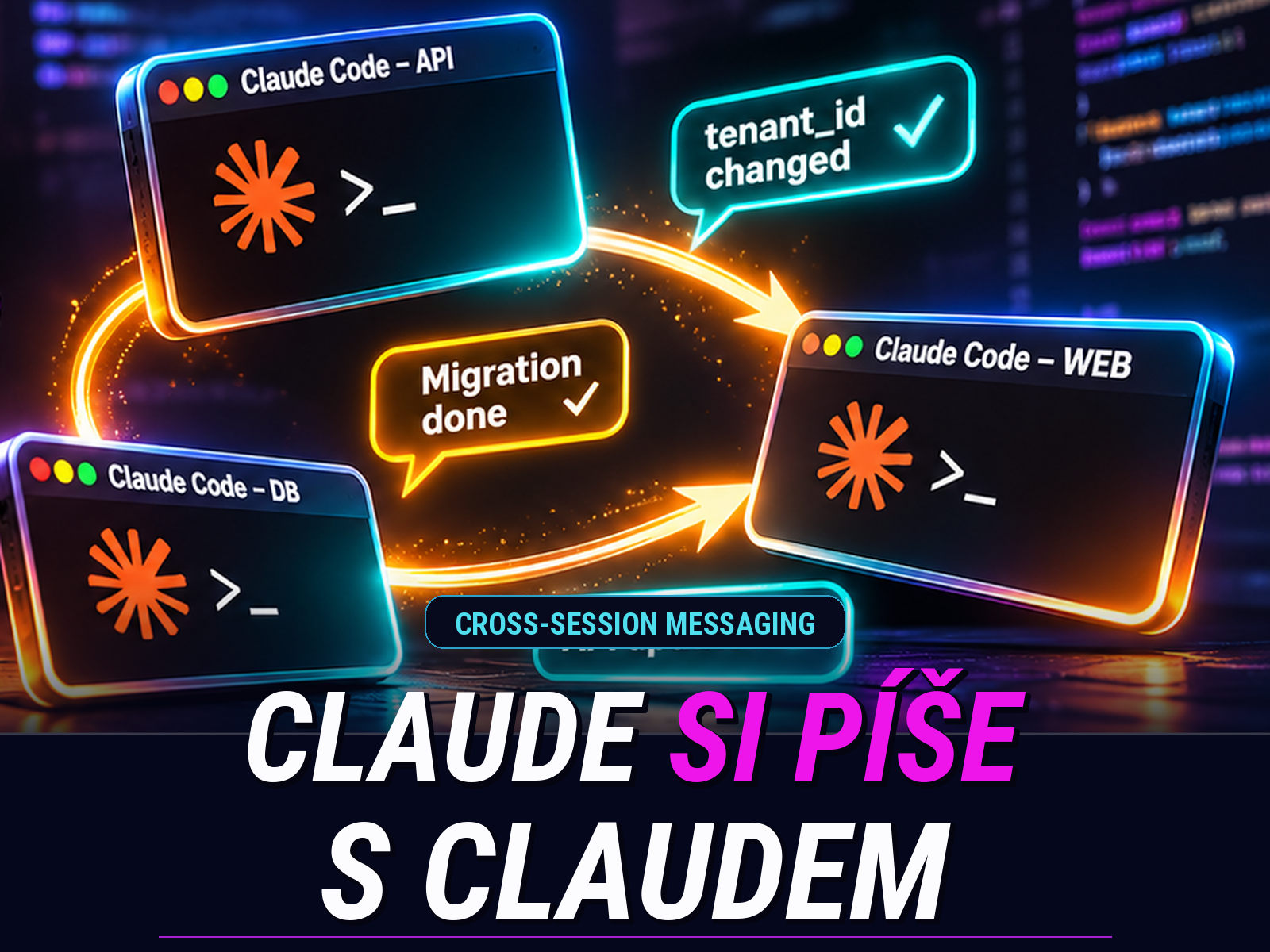
Anthropic added message passing between sessions to Claude Code (called cross-session messaging in the docs) in version 2.1.224 in early August 2026. Since then, the feature has gained addressing sessions via @, native Windows support (2.1.234), and a notification when another session finishes (2.1.236). As of version 2.1.248 it also works with access through Amazon Bedrock, Google Cloud, and Microsoft Foundry. There’s nothing to switch on; it’s available right after you update.
What the feature does
Claude in one session writes a short text message and sends it to Claude in another session. Only that text is transferred. Neither the conversation history nor files burden the other side, so the target session doesn’t flood its context with whatever the first one was working on.
Between sessions on the same machine, the message travels over a local socket (a named pipe on Windows) and never passes through Anthropic’s servers. Sessions on another machine of yours, or in the cloud, are reachable via Remote Control, and there the message does go through Anthropic’s servers.
You can compose the message yourself, say “let the payments API session know what we just changed.” You address a specific session via @ and the beginning of its name, just like a subagent. But Claude can also send a message on its own initiative when it sees that its change will break work elsewhere.
The receiving Claude reads the message between two tool calls, so it doesn’t interrupt a running command. If the session is idle, the message kicks off a new turn. The /list-agents command (/peers for short) shows who’s reachable. Since version 2.1.309, messages waiting to be picked up appear at the very end of the transcript (Ctrl+O).
Where it’s useful
Sloppy mode: no worktrees. It happens to me occasionally that I’m too lazy to set up a worktree and end up working in a single repository. Then I give Claude Code the name of the second session and ask it to work out what and how with it, so there’s no confusion, say, when committing, where a session tends to commit work other than its own.
Parallel worktrees. The typical proper vibecoding scenario: one session rewrites the database schema, another builds the API on top of the same repository in a different worktree. As soon as the first renames a column, it sends the second two sentences: the new column is called tenant_id and rebasing on main is safe. Before, you’d only find this out from a broken build.
Handing over a finding. A session debugging a bug in a shared library finds the cause and on its own alerts the session working on the frontend that uses that library. You don’t have to explain anything twice.
Waiting for long-running work. This strikes me as the most practical one. You say “let me know when the migration session finishes,” and Claude sets up a one-time notification with it for when it completes its work or exits. The watched session doesn’t spend a single token on it. If nothing happens within twelve hours, the subscription expires on its own.
Scripts and hooks. Each session has its own socket, and its address is passed in an environment variable to hooks and Bash commands as well. A script that finishes a slow test in the background can thus return the result straight into the conversation. A long-running headless worker started via claude -p can receive messages too.
Laptop and desktop. A session on your work machine can send a message to a session on your laptop or in the cloud. The prerequisite is signing in with a claude.ai account and connecting via Remote Control. With an API key or via Bedrock, messages outside your own computer don’t work. And one more limitation: a cloud session can’t reply to a message from another machine; you read its reaction at claude.ai/code.
I do have one reservation. More parallel sessions means more coordination, and messages make it easier, but they won’t fix badly divided work. If two sessions keep fighting over the same files, the problem is in how the task was split.
Security: a message approves nothing
Anthropic did the sensible thing here. A message from another session never counts as your consent, so it can’t click through a pending permission request. The receiving Claude has an explicit instruction not to change permission settings or CLAUDE.md because of it. A command like /compact inside a message arrives as plain text and isn’t executed. If work based on a message needs permission, you’ll see the normal prompt.
Default behavior depends on the permission mode. A session that asks you for permissions accepts messages and holds back only those from a session running in the no-prompts mode (bypassPermissions). A session in the no-prompts mode, on the other hand, holds messages and shows you an approval dialog. That makes sense: an agent that may do anything without asking shouldn’t obey just anyone.
If you want more, you can switch message reception to holding or rejecting, and for messages from outside your own computer always require manual approval. Against two sessions looping and replying to each other endlessly, Claude Code has a built-in rate limit.
Use a current version: older versions of Claude Code reported a message as delivered even when the target session had held it back. This was fixed only in version 2.1.288.
What’s circulating on social media
A post is making the rounds on social media that attributes the feature to an “official tip” from Boris Cherny, head of Claude Code. It doesn’t give a source for the quote and I wasn’t able to track one down, so who knows how it got garbled. The guide promises a setup in which Opus 5.5 designs the architecture and “enforces security policies,” Sonnet 5.5 writes code, and Haiku 5.5 relays messages between terminals at 340 tokens per second “without burning a single token.” On top of that comes a prompt to copy and a mention of some “JEV engineering,” which the text doesn’t explain in any way. Apparently the JEV model was a pretty hot keyword for a while, so why not use it.
It sounds like insider advice. But it isn’t grounded in reality.
No mailman is needed. The message is delivered by Claude Code; the model only writes it. Placing a third session with Haiku between two sessions to relay messages means adding another hop, more delay, and more tokens spent. The 340 tok/s figure has no backing: Anthropic doesn’t publish Haiku 5.5’s speed, and independent measurements range roughly between 140 and 290 tokens per second. For delivering a message that makes no difference anyway. The idea of Haiku acting as some kind of router strikes me as inefficient; a session can handle orchestration itself, and Claude Code has the Agent Teams feature designed for exactly that.
Tokens do get consumed. The documentation says it outright: a delivered message counts toward usage the same as a prompt you write yourself. The saving lies in the fact that conversation history isn’t transferred. But it isn’t free.
Opus enforces nothing. The rules for receiving messages are settings in the configuration, and Claude Code guards them. A message from another session also can’t approve anything, so “authorization between sessions” performed by Opus is a role that doesn’t exist in the system. You are always the one who approves.
The recommended setup bypasses the safeguard. The post advises launching every session with a setting that accepts all incoming messages outright. The documentation recommends the same, but for a single case: an unattended worker started via claude -p, where nobody is there to click through the approval dialog. Applying it across the board to interactive sessions makes no sense. For a session that asks about permissions, little changes, since permission prompts keep coming. But for a session in the no-prompts mode, you turn off precisely the safeguard that holds messages for approval, and such a session then starts carrying out instructions from other terminals without your knowledge.
Model choice is unrelated to the feature. You can run each session with any model, as you’ve done until now. Opus for demanding decisions and Sonnet for everyday coding is a reasonable principle, and Anthropic itself recommends it. It even has a built-in mode for it, /model opusplan, in which Opus plans and Sonnet executes. That all happens inside a single session, though, and has nothing to do with messages between sessions. Likewise, you can set up a stronger advisor-model mode via /advisor. I typically have Fable set up like that and otherwise don’t touch Fable, so its usage limit lasts me and gets used when Opus is at a loss.
Why does it spread? It has everything a viral post needs: a name with authority, precise numbers, a tidy division of roles, and a prompt you can just copy. But you won’t get anything meaningful working based on it.
Takeaways
Update Claude Code and try /list-agents. Leave the message reception settings at their defaults until you have a specific reason to change them. The feature gives you the most when working in multiple worktrees and when waiting for long tasks, where you have a notification sent to you instead of constantly switching terminals. And choose the model for each session according to the task running in it.
For viral “official tips,” the old advice applies: when there’s a precise number with no source, open the documentation. This one is a single page, and you’ll read it in ten minutes.
Sources: Claude Code documentation, page Message your other Claude Code sessions; Claude Code what’s new overview for week 32, 2026; Claude Code changelog; Anthropic help article Models, usage and limits in Claude Code. As of November 4, 2026; versions and default behavior may change.